Connect your AI tools to your capacity
Use Parade in Claude, ChatGPT and Microsoft Copilot
Ask Claude, ChatGPT or Microsoft 365 Copilot about your freight in plain English, and get answers from your live Parade data: your open loads, what carriers are bidding on a lane, the quotes on a load, and how your covered loads compare.
What you can ask
- "What are carriers bidding Chicago to Atlanta, reefer, for Friday?"
- "What open loads do we have picking up out of Dallas this week?"
- "Which of my loads still need a truck and have no quotes yet?"
- "Show me every quote on load 4410023."
- "Which carriers quoted our Dallas → Houston loads this week, and who won?"
- "On archived loads from LA to Phoenix last month, what did we pay compared to the bid estimate?"
More examples, and how to read the answers: Getting good answers.
What you need
- A Parade login with an email and password. Use the same login you use for the Parade web app. Accounts that sign in with SSO aren't supported yet.
- Claude or ChatGPT on a plan that allows custom connectors. Claude supports them on Free, Pro, Max, Team and Enterprise. ChatGPT needs Developer mode, which depends on your plan and workspace.
Your connector URL
Paste this into Claude or ChatGPT when you add the connector:
https://parade-mcp.vercel.app/mcp
Set it up
- Connect Claude (web, desktop and mobile apps)
- Connect ChatGPT
- Connect Microsoft 365 Copilot: your Microsoft 365 admin sets it up once.
Setup takes about two minutes.
Safe by design
- Read-only. The connector can look things up. It can't post, accept, counter, decline or change anything in Parade.
- Your company's data only. You see exactly what your Parade account can see in the web app.
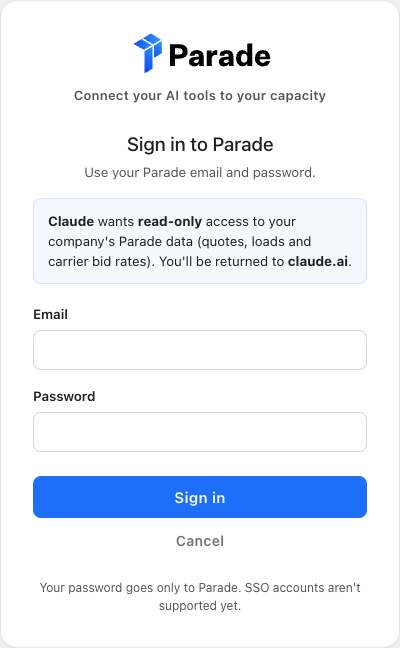
- Your password goes only to Parade. You sign in on a Parade page, and the AI app never sees your password.
- You stay in control. Remove the connector at any time to disconnect.
See Troubleshooting & FAQ for privacy details.